Skip to content
Logo HB Wallet 350px
  • Features
  • FAQ
  • About
  • Blog
  • Features
  • FAQ
  • About
  • Support Page
  • Send a Ticket
  • Blog
Download
Old Blog

How to convert Sai to Dai in HB Wallet

November 26, 2019 Moderator

Updated: Nov 28, 2019

A quick guide on how to upgrade your Sai to Dai in HB Wallet.
How to convert Sai to Dai in HB Wallet

Contents hide
1. What is SAI? What is happening to DAI?
2. How to convert your SAI to DAI in HB Wallet
2.1. For HB Wallet Desktop users
2.2. For IOS users
2.3. For Android users
3. What updates are coming with Multi-Collateral Dai?
3.1. More Collateral Options
3.2. Stability Fee Payment
3.3. The Dai Savings Rate (DSR)
3.4. Oasis DeFi Hub
4. NEXT: How DAI Stablecoin works?

What is SAI? What is happening to DAI?

If you see SAI in your HB Wallet instead of DAI, don’t panic. It’s not a typo. Everything is ok. The reason is that the MakerDAO system has been upgraded to Multi-Collateral DAI (MCD).

The previous DAI is now called SAI, and the Multi-Collateral DAI is known as DAI. While the previous DAI is single-collateral DAI, only supported by Ethereum, the upgraded – Multi-Collateral DAI can be made up of various assets. This means it’s time to migrate your “DAI”, now referred to as SAI, to Maker’s new architecture.
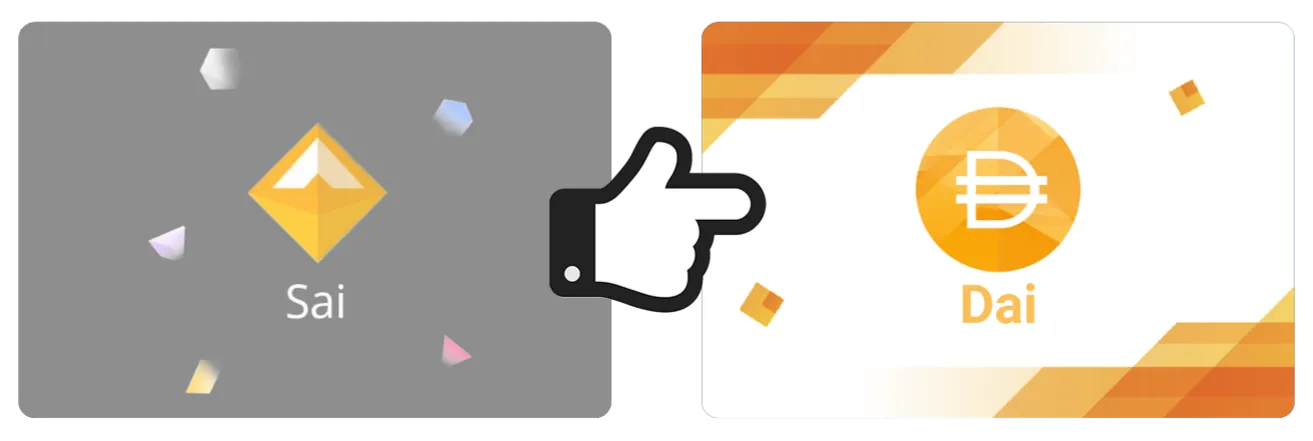
Traditional DAI is now called SAI, and the Multi-Collateral DAI is known as DAI

With the launch of Multi-Collateral Dai on November 18th, 2019, the term Collateralized Debt Position (CDP) is also being replaced with the term “Vault” under the MCD system. The name and ticker symbol of single collateral Dai are now changing to Sai (SAI).

These changes were made to tell the differences during the transition period when both Single Collateral and Multi-Collateral Maker systems would run in parallel. This means DAI and SAI both exist in the market at the same time.

Accordingly, services or exchanges integrated with SAI (the old DAI), and CDPs must update their codebases to point to the new smart contracts, and restructure their code to support the updated functions.

How to convert your SAI to DAI in HB Wallet

For HB Wallet Desktop users

  1. Open HB Wallet ‘Browser‘.

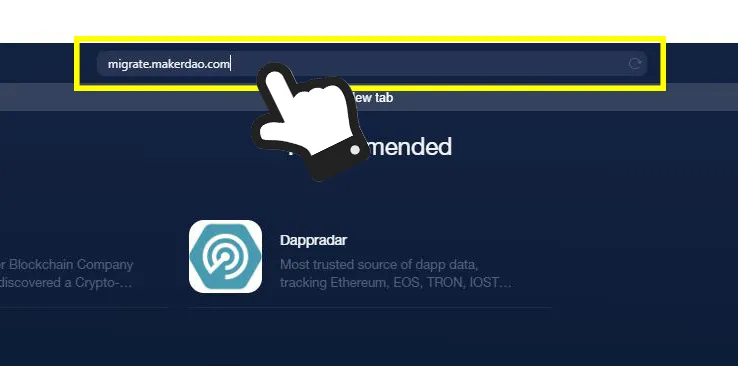
  2. Copy the following URL and paste it in the browser tab. https://migrate.makerdao.com

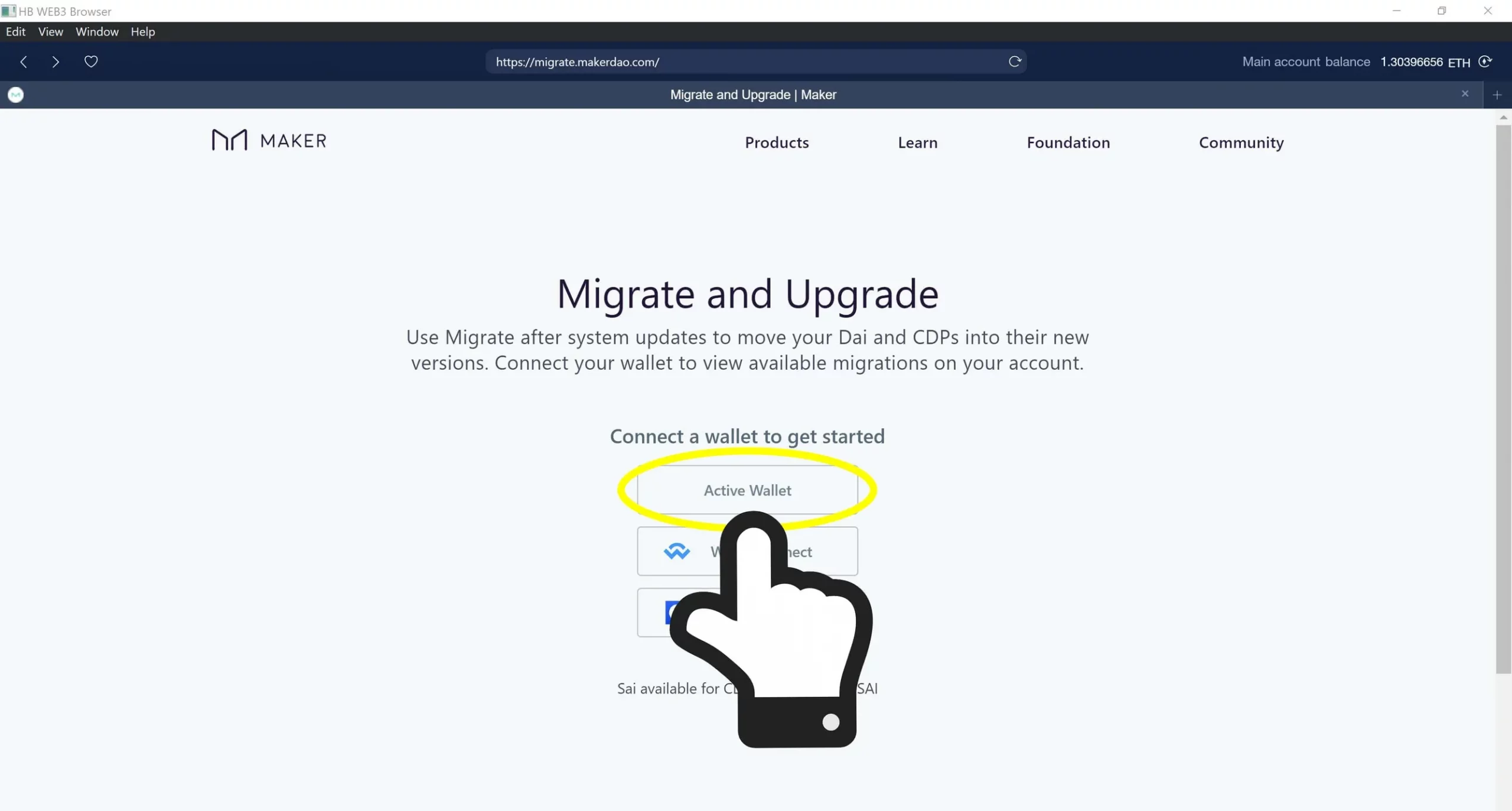
  3. Tap ‘Active Wallet’ to proceed.

The details are as follows:

Open HB Wallet ‘Browser’
Open HB Wallet 'Browser'
Copy the URL: https://migrate.makerdao.com and paste it in the browser tab.
Tap ‘Active Wallet’ to proceed
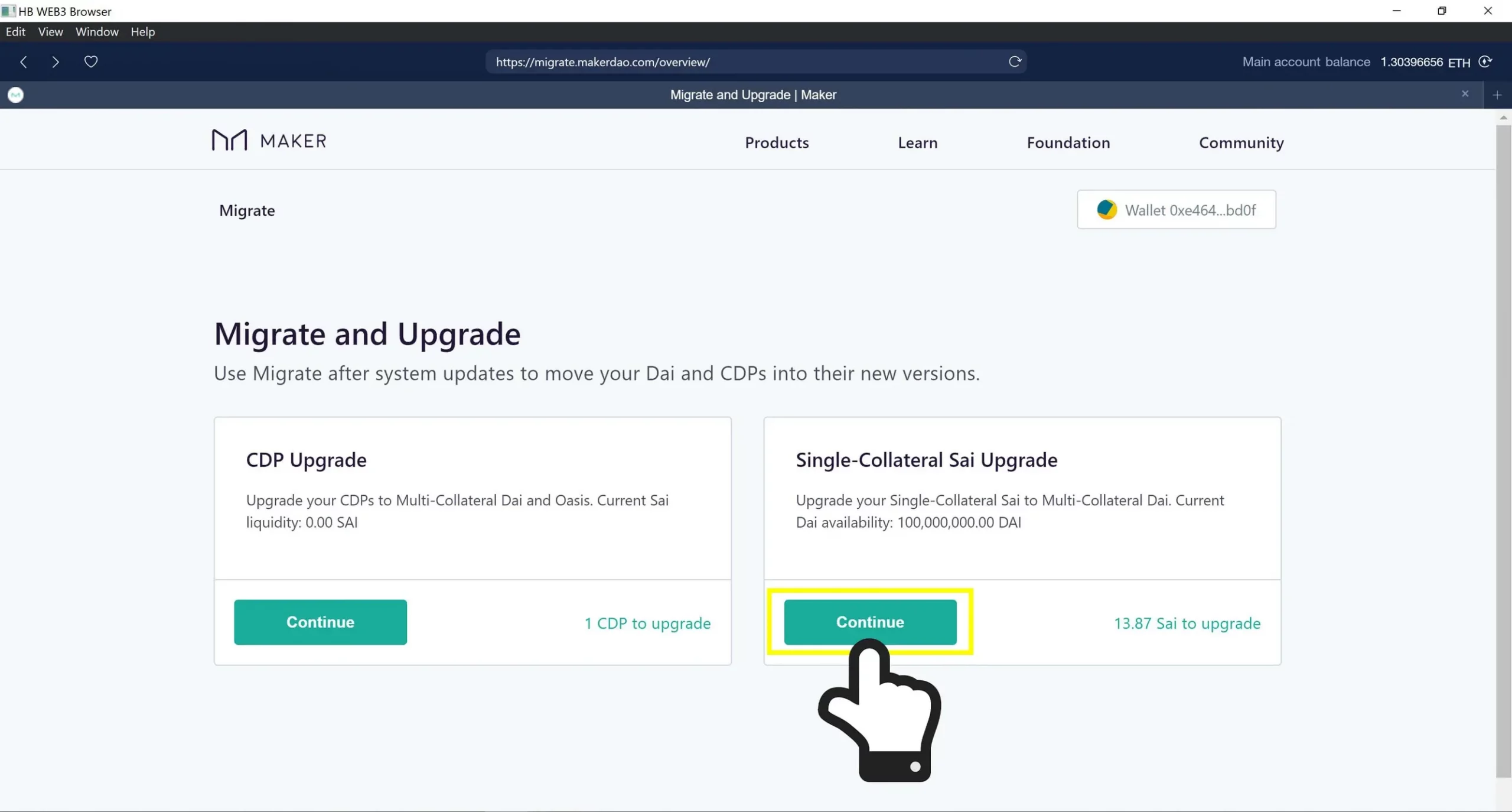
In the ‘Single-Collateral Sai Upgrade’ option, click ‘Continue’.
In the 'Single-Collateral Sai Upgrade' option, click 'Continue'.
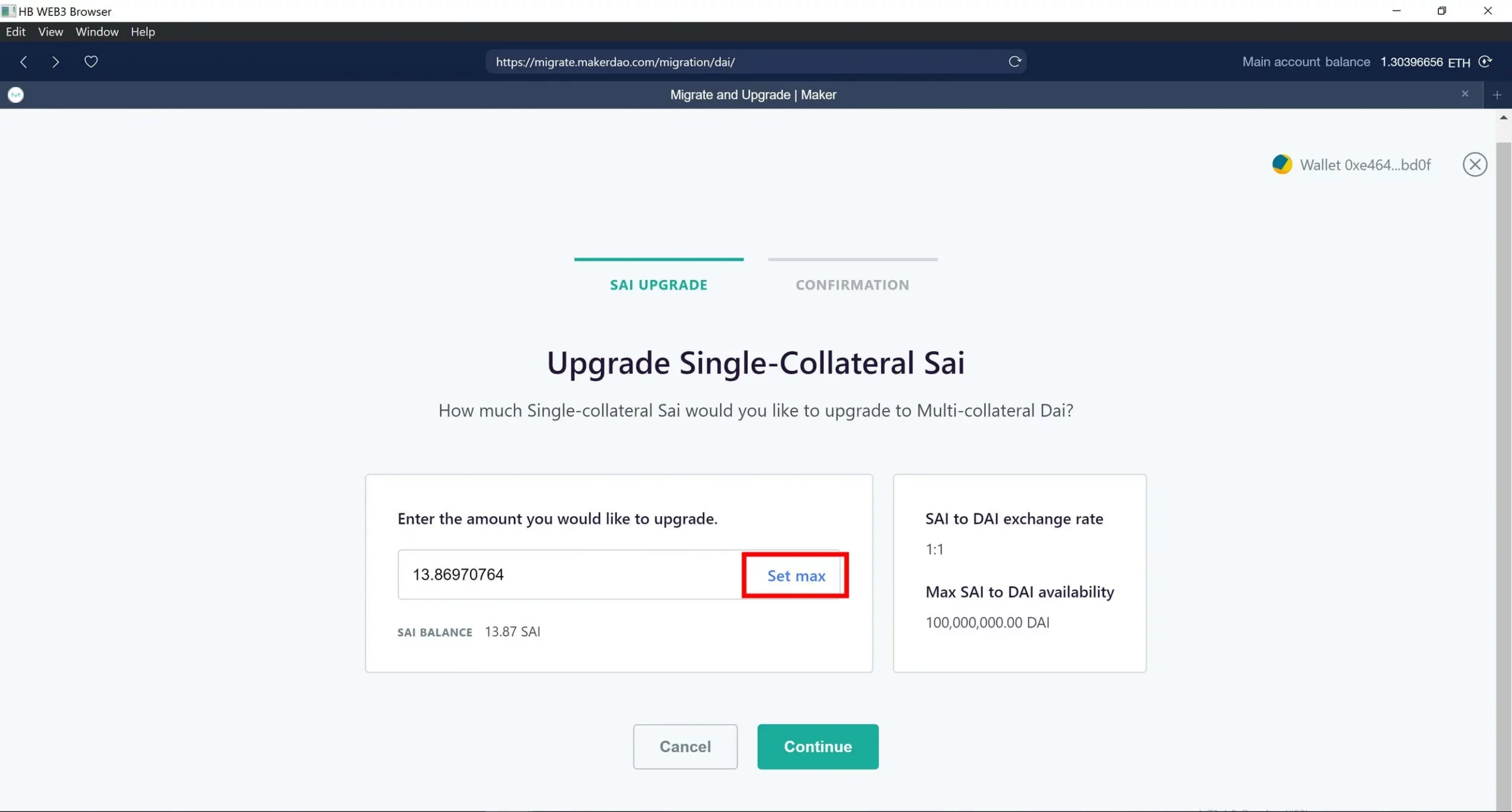
‘Set max’ if you want to upgrade all your Sai to Dai
'Set max' if you want to upgrade all your Sai to Dai
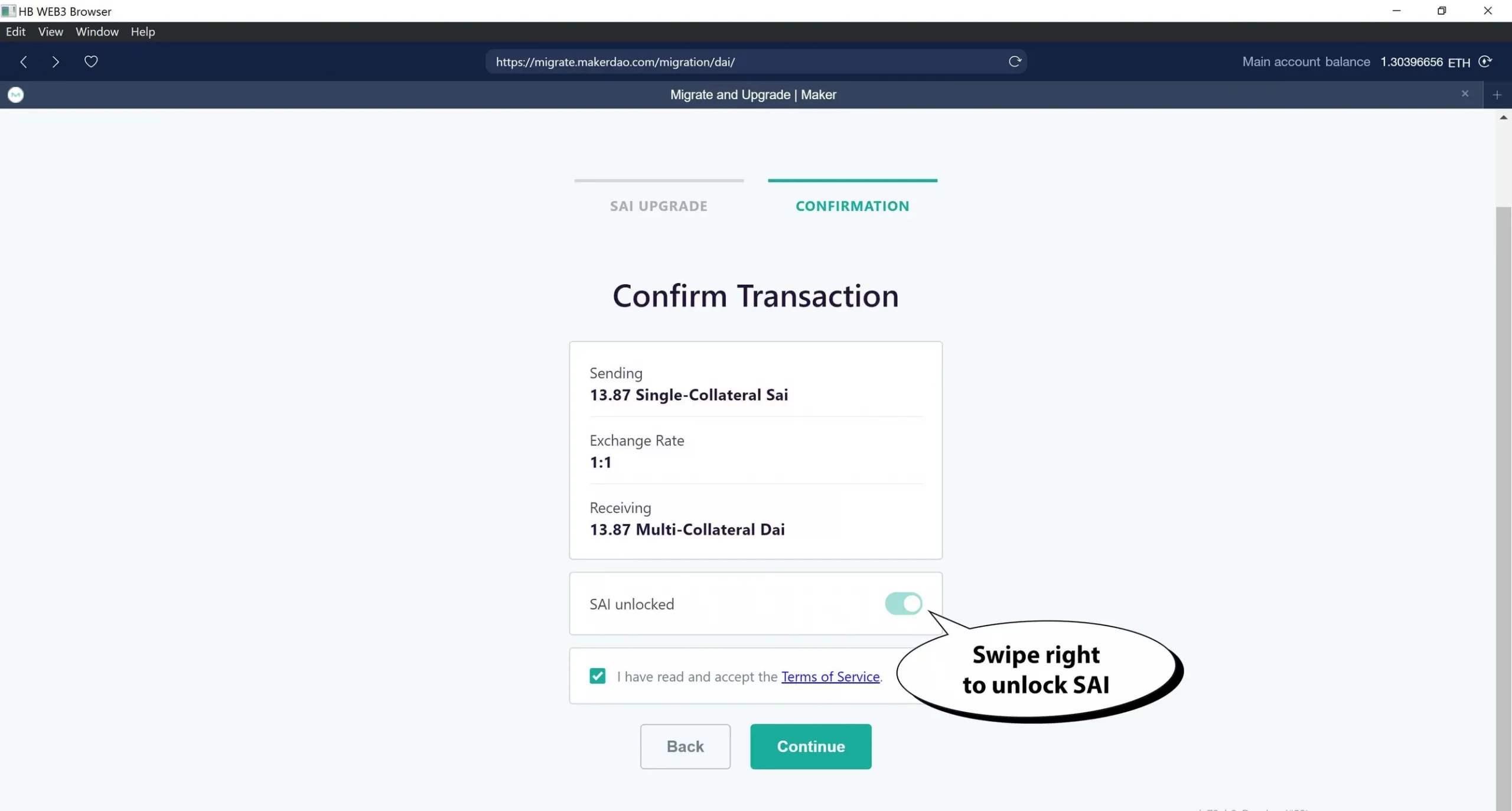
Swipe right to unlock SAI, then click ‘Continue’.
Swipe right to unlock SAI, then click 'Continue'.
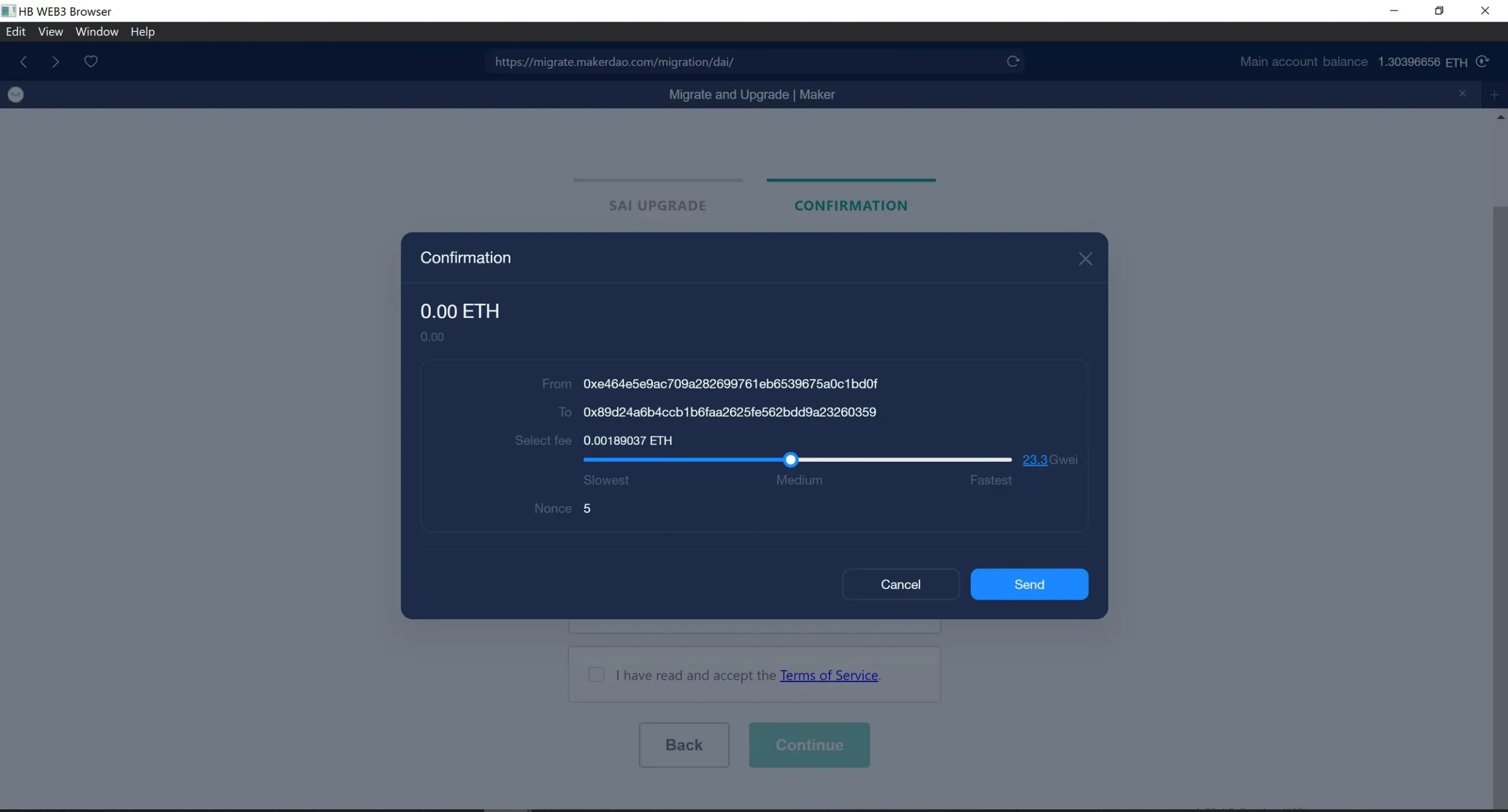
It costs a small amount of Gas Fee to complete the transition
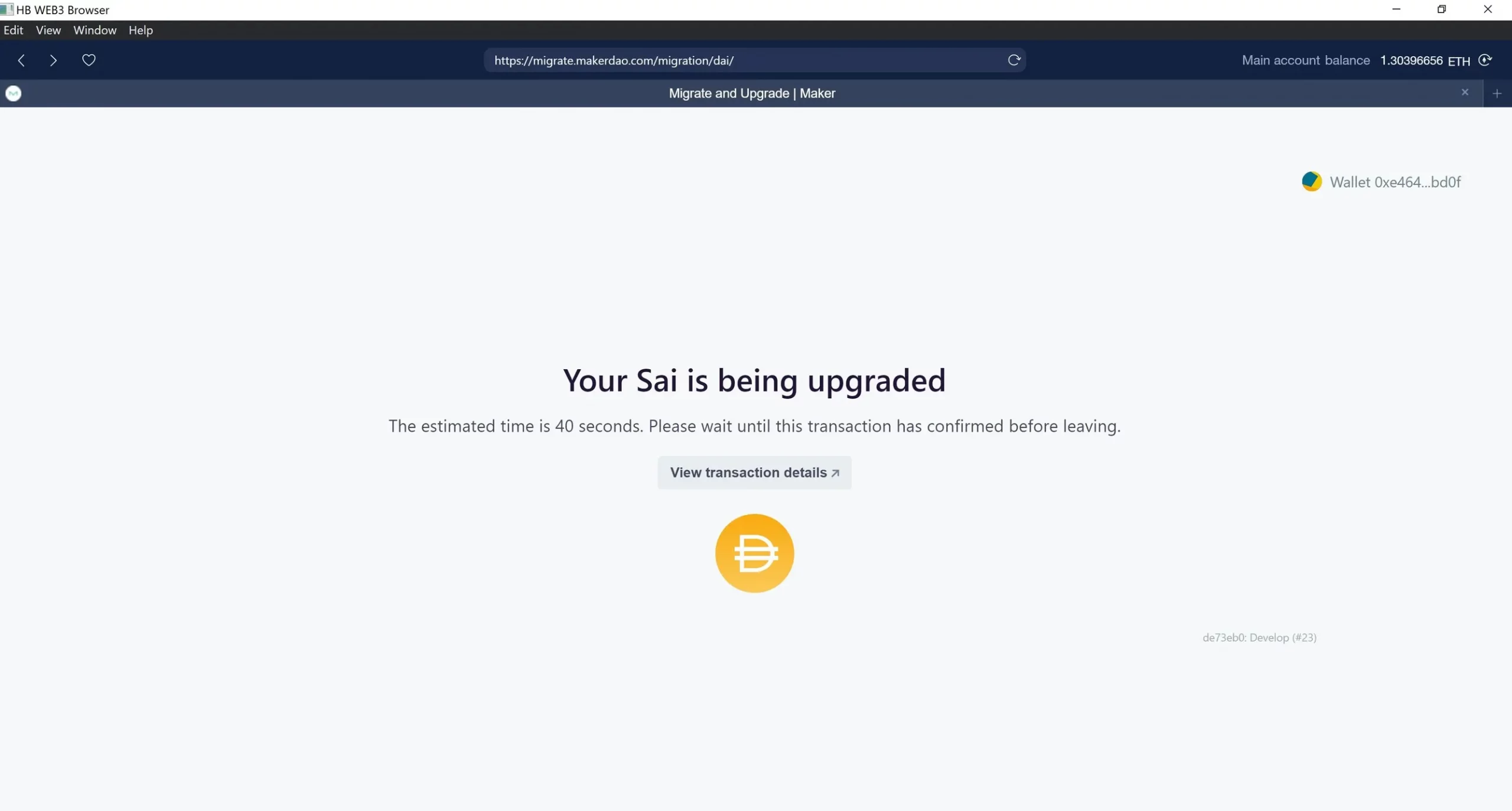
Now your Sai is being upgraded. Please wait until this transaction has confirmed before leaving.

For IOS users

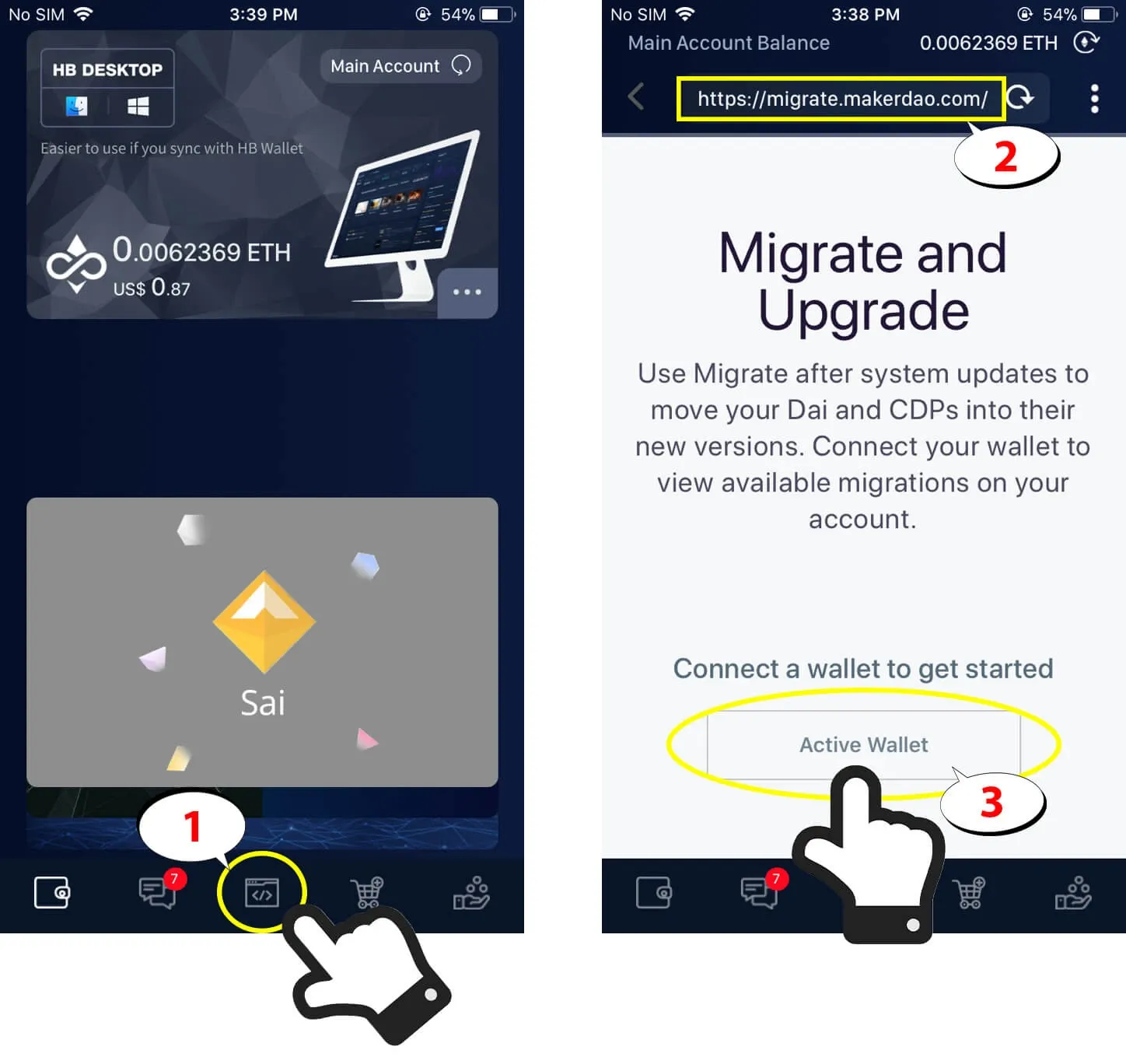
  1. Open the HB Wallet ‘Browser‘.

  2. Copy the following URL and paste it in the browser tab. https://migrate.makerdao.com

  3. Tap ‘Active Wallet’ to proceed.

Convert SAI to DAI in HB Wallet mobile app

For Android users

For Android devices, it is currently not possible to upgrade from HB Wallet (adjusting), so we recommend using HB Wallet Desktop.

<Download HB Wallet on Desktop>

Windows: hb-wallet.com/windows

MAC: hb-wallet.com/mac

What updates are coming with Multi-Collateral Dai?

More Collateral Options

Aforementioned, Dai is now backed by multiple assets. This means users are able to create DAI with more than just Ethereum (ETH), hence “multi-collateralized”. The MCD system currently supports ETH and BAT tokens, yet the Maker community is evaluating an additional token—as predicted by the market: Augur’s REP.

The extensibility of the Maker’s Protocol means that, with MKR voter approval, almost any tokenized asset that has appropriate risk parameters could be made available as collateral in the future.

Stability Fee Payment

In the Single-Collateral Dai system, Stability Fees are paid in MKR, the Maker Protocol’s governance token. In the MCD system, Vault owners pay Stability Fees in Dai. This means Single-Collateral Dai users must have MKR in their wallets to complete the migration to MCD.

The Dai Savings Rate (DSR)

The new Dai Savings Rate (DSR) feature will give users the option to lock their DAI into Maker’s DAI Savings Rate contract, and earn an attractive return on their DAI holdings natively without fees.

Oasis DeFi Hub

The Oasis all-in-one DeFi hub brings Oasis Trade and the new Oasis Borrow and Oasis Save together in one place, allowing a smooth user experience.

  • Oasis Trade. Oasis Trade no longer trades Sai. However, the DAI/USDC pair and additional ETH markets have recently been added. Users can cancel their standing Sai orders and migrate their Sai tokens to Dai to resume trading on Dai markets.

  • Oasis Borrow. Oasis Borrow is the portal through which users can lock their collateral assets (ETH and BAT, currently) in Vaults to generate Dai. Users can create multiple Vaults from the Borrow dashboard, and manage them seamlessly in one place.

  • Oasis Save. The product referenced above that enables the Dai Savings Rate. Users earn savings on their Dai by locking it into Oasis Save.
NEXT: How DAI Stablecoin works?

Download HB Wallet: iOS | Android | Mac | Windows

#HBWallet #DeFi #DAI #SAI #MakerDao #decentralized #exchange #DEX #HBDEX #stablecoin #cryptocurrency #ethereum #blockchain

  • Smart contract

Post navigation

Previous
Next
Twitter Follow HB Wallet

Recent posts

  • Bonk Airdrop
    The Bonk Airdrop: How a Meme Coin Reignited Solana’s Community
  • Does Metamask support Solana image
    Does MetaMask Support Solana? A Deep Dive Into Compatibility and Workarounds
  • Trump Solana Coin
    Trump Solana Coin: Exploring the Rise and Fall of the Most Controversial Meme Token

Categories

  • Blog & Tips (18)
  • Old Blog (71)
  • Update (3)
  • 旧ブログ (27)

Related posts

Wallet domain now comes to HB Wallet and KEYRING PRO
Old Blog

Wallet domain now comes to HB Wallet and KEYRING PRO

October 5, 2021 Moderator

Updated: Oct 6, 2021 User now can send crypto to .wallet domain directly from HB Wallet and KEYRING PRO. Download HB Wallet: iOS | Android | Mac | Windows Download KEYRING PRO  What is wallet domain? The .wallet domain is a form of crypto domains recently launched by Unstoppable Domains. It represents a tight cooperation between […]

Ethermon Gacha is now live!
Old Blog

Ethermon Gacha is now live!

March 10, 2020 Moderator

Ethermon Gacha is a collaboration between Ethermon.io and Bacoor Inc. In this game, you can have a chance to win valuable Monsters (NFTs) worth up to 2.5 ETH! What is Ethermon? Ethermon.io (formerly Etheremon) is a Dapp Game on the Ethereum network where you can catch, train, evolve your mons (NFTs) to defeat others in […]

What is TomorrowsPrice and its Affiliate Program
Old Blog

What is TomorrowsPrice and its Affiliate Program?

February 7, 2020 Moderator

Updated: Feb 17, 2020 All you need to know about TomorrowsPrice and how to participate in the Affiliate Program! What is TomorrowsPrice? TomorrowsPrice is a Dapp game where you can predict the next-day price of Bitcoin (BTC) everyday. To place a prediction on TomorrowPrice, you only need to deposit 100 DAI to get a ticket to […]

Logo HB Wallet 350px

HB Wallet, originally launched as an Ethereum wallet in July 2017, quickly became the most popular wallet in Japan. Now upgraded to support multichain networks and assets, it has evolved into a highly efficient, next-generation crypto wallet.

Download
App Store
Play Store
HB Wallet
  • Blog
  • Support Page
  • Send Ticket
  • Privacy Policy
  • Terms of Service
Social
  • Twitter
  • Telegram
  • Youtube
  • Discord
  • Linktree

© Bacoor. All Rights Reserved.